[Linux] 리눅스 데몬(서비스) 리스트 조회하기 - systemctl 명령어 사용
2022. 3. 16. 00:04
반응형
전체 서비스 리스트 조회하기
$ systemctl list-unit-files
Disabled 서비스 리스트 조회하기
$ systemctl list-unit-files | grep disabled
>>>
proc-sys-fs-binfmt_misc.mount              disabled        enabled
acpid.service                              disabled        enabled
brltty.service                             disabled        enabled
console-getty.service                      disabled        disabled
debug-shell.service                        disabled        disabled
Active 서비스 목록 조회하기
$ systemctl list-units --state active
>>>
UNIT                                                                                                  LOAD   ACTIVE SUB       DESCRIPTION     >
  proc-sys-fs-binfmt_misc.automount                                                                     loaded active running   Arbitrary Execut>
  sys-devices-pci0000:00-0000:00:14.0-usb1-1\x2d10-1\x2d10:1.0-bluetooth-hci0.device                    loaded active plugged   /sys/devices/pci
...
Failed 서비스 목록 조회하기
$ systemctl list-units --state failed
>>>
  UNIT                  LOAD      ACTIVE SUB    DESCRIPTION
● oracle-xe-18c.service not-found failed failed oracle-xe-18c.service

LOAD   = Reflects whether the unit definition was properly loaded.
ACTIVE = The high-level unit activation state, i.e. generalization of SUB.
SUB    = The low-level unit activation state, values depend on unit type.

1 loaded units listed.
Service 파일 path 조회하기 (데몬 파일 위치 찾기)
# systemctl show [서비스명] | grep Path
$ systemctl show docker | grep Path
FragmentPath=/lib/systemd/system/docker.service

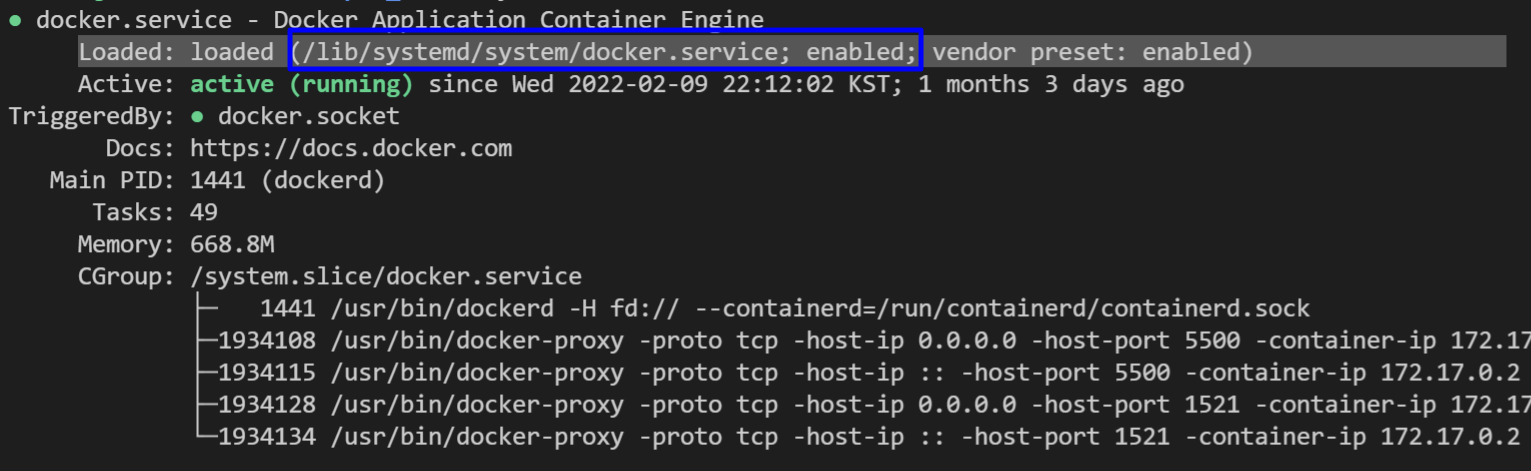
# systemctl status [서비스명]
# Loaded 부분 확인
$ systemctl status docker
● docker.service - Docker Application Container Engine
     Loaded: loaded (/lib/systemd/system/docker.service; enabled; vendor preset: enabled)
     Active: active (running) since Wed 2022-02-09 22:12:02 KST; 1 months 3 days ago
TriggeredBy: ● docker.socket
       Docs: https://docs.docker.com
   Main PID: 1441 (dockerd)
      Tasks: 49
     Memory: 668.8M
     CGroup: /system.slice/docker.service
             ├─   1441 /usr/bin/dockerd -H fd:// --containerd=/run/containerd/containerd.sock
...
- 출처 1: Sysops님 블로그, [Linux] systemctl 명령어를 사용한 전체 서비스 목록 확인, https://sysops.tistory.com/140
- 출처 2: Askubuntu 포털, Where are the systemd units/services located in Ubuntu?, https://askubuntu.com/questions/876733/where-are-the-systemd-units-services-located-in-ubuntu
반응형
'컴퓨터 기본 > 리눅스(Linux)' 카테고리의 다른 글
| [Linux] 실행중인 프로세스 파일 위치 확인 하기 (0) | 2022.02.09 |
|---|---|
| [Linux] buffer cache 파일 확인하기 (2) | 2022.02.08 |
| [Linux] 하위디렉토리까지 파일검색 후 날짜 출력하기 (하위폴더 검색 및 mtime출력) (0) | 2021.08.09 |
| [Linux] 쉘 초기화 파일(/etc/profile, bashrc, bash_profile 등) 실행 순서 및 설명 (0) | 2021.05.30 |
| [Linux] 리눅스 -dev, -devel 패키지란? (0) | 2021.05.13 |
이 글을 공유합시다


